This proof of concept explored how large language models could support accessibility workflows by helping engineers review results, identify patterns, and surface potential issues earlier in the development process.
AccessibilityAIAutomationPython
Overview
The objective was not to automate accessibility entirely, but to reduce repetitive review work and help teams focus on higher-value analysis.
Goals
Review accessibility validation output
Organize large volumes of test results
Summarize findings
Surface potential accessibility issues
Reduce repetitive manual review
Technical Focus
AI-assisted accessibility workflows
Prompt engineering
Python automation
Screen reader transcript analysis
Accessibility testing
Workflow optimization
Challenges
Accessibility depends heavily on context, making it difficult for AI to determine whether an experience is genuinely usable. One of the biggest challenges was distinguishing between objective issues and situations that still required human evaluation.
What I Learned
AI performs best as an assistant rather than a replacement. The most valuable workflows combined automation with human expertise, allowing engineers to spend less time reviewing repetitive output and more time solving accessibility problems.
Prototype workflow
Making screen-reader automation understandable
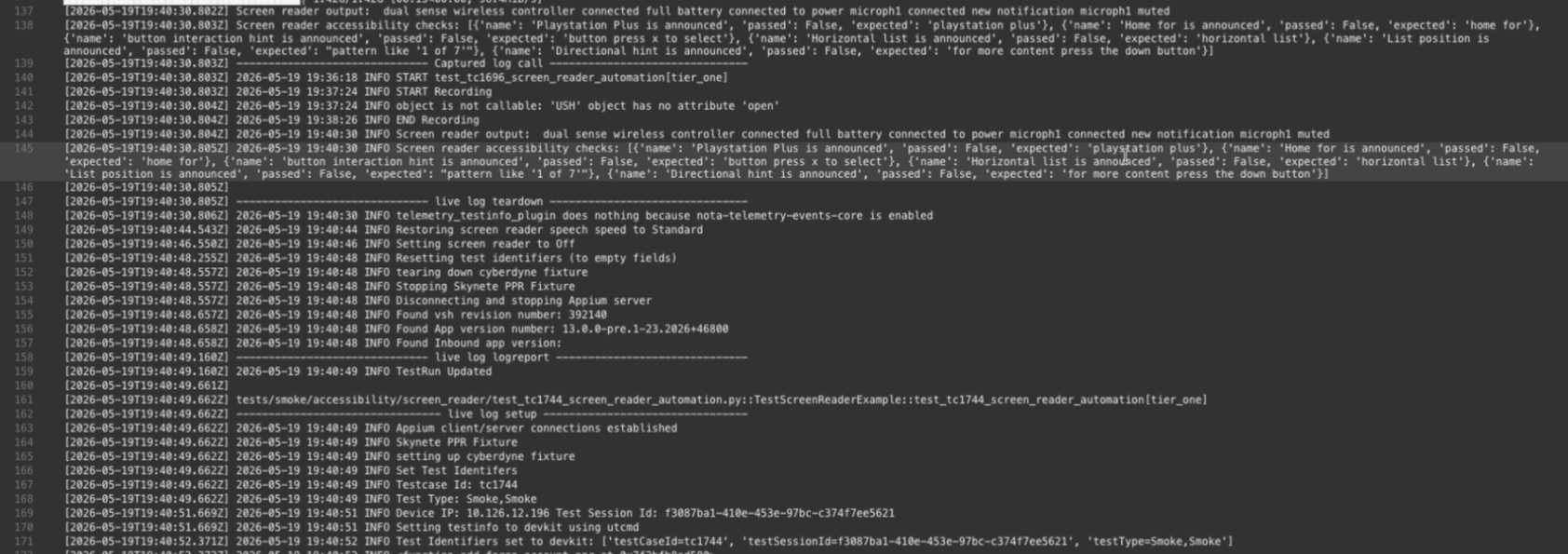
Raw automation logs made it difficult to distinguish passing and failing checks, locate the relevant interaction, or understand why a failure occurred. This proof of concept turned that output into a visually scannable dashboard, connecting each assertion to its recorded interaction, transcript, and structured test data for faster debugging and triangulation.
00
Define the problem in the raw logs
The automation output contained the necessary evidence, but it was buried in dense, interleaved logs. Engineers had to search across timestamps, screen-reader output, expected values, and boolean results to determine what passed, what failed, where it failed, and why.
01
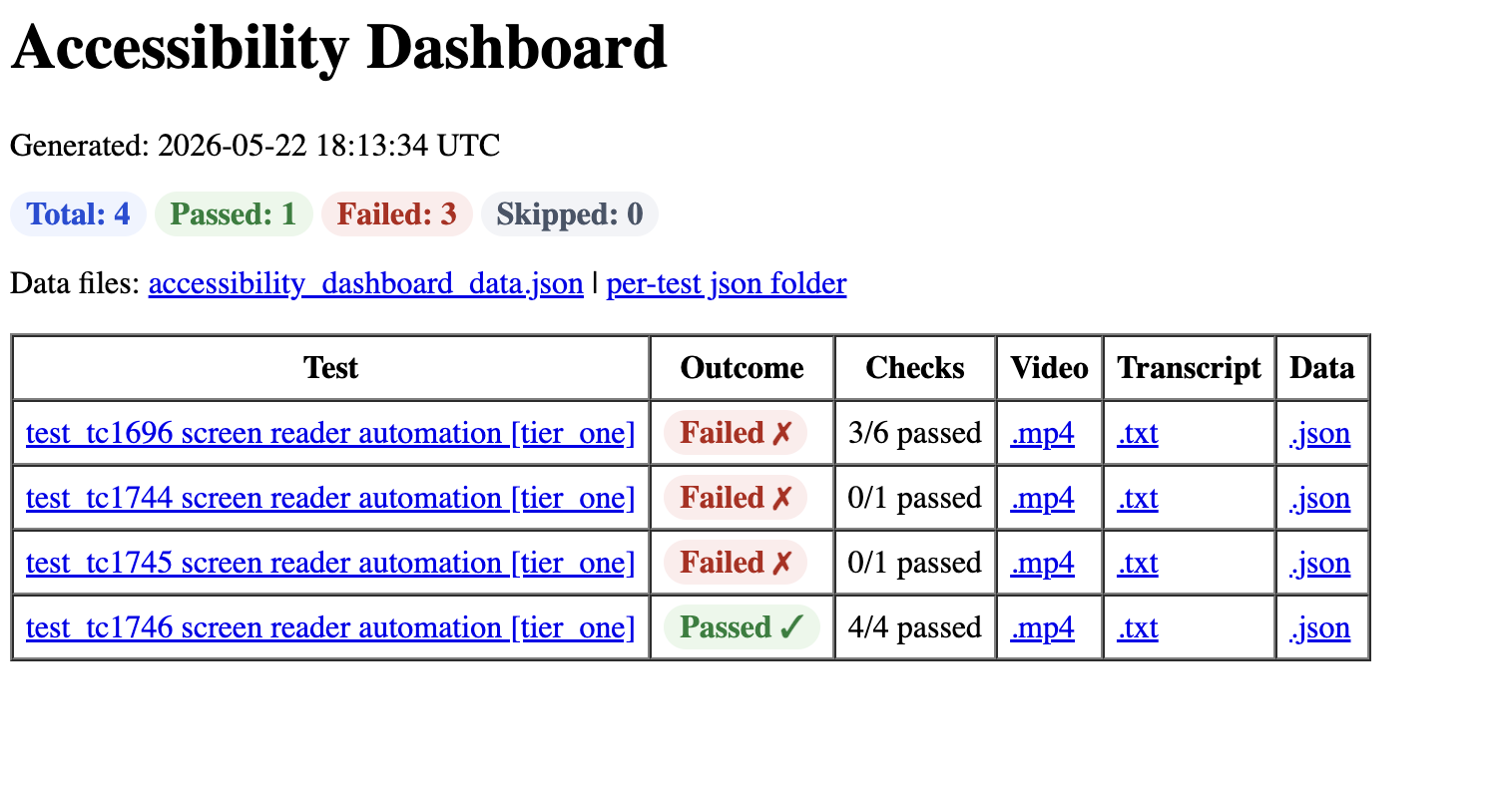
Aggregate automated results
The dashboard turns screen-reader automation output into a scannable test summary, with pass and failure totals plus direct links to each test’s evidence.
02
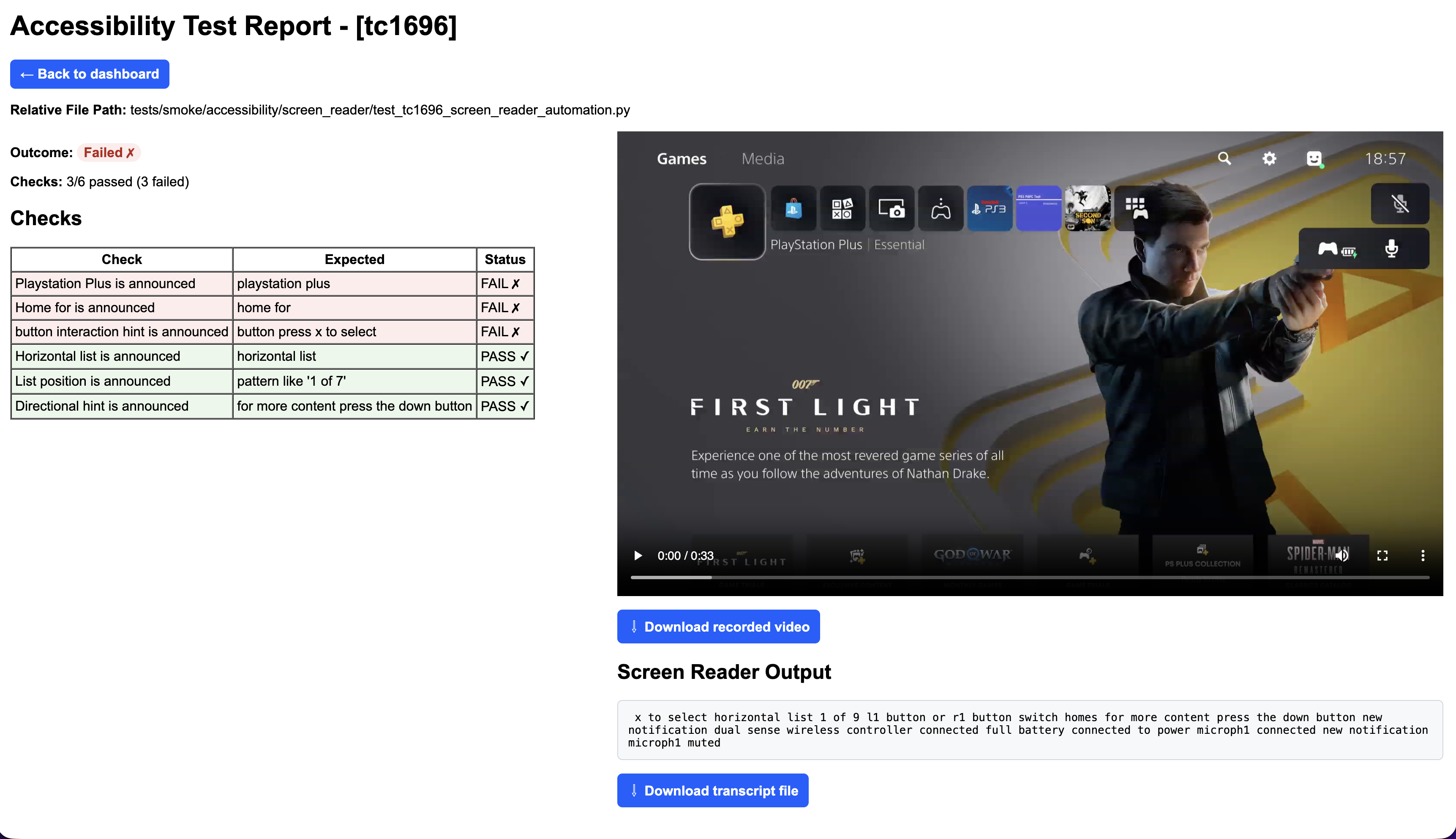
Investigate failures with evidence
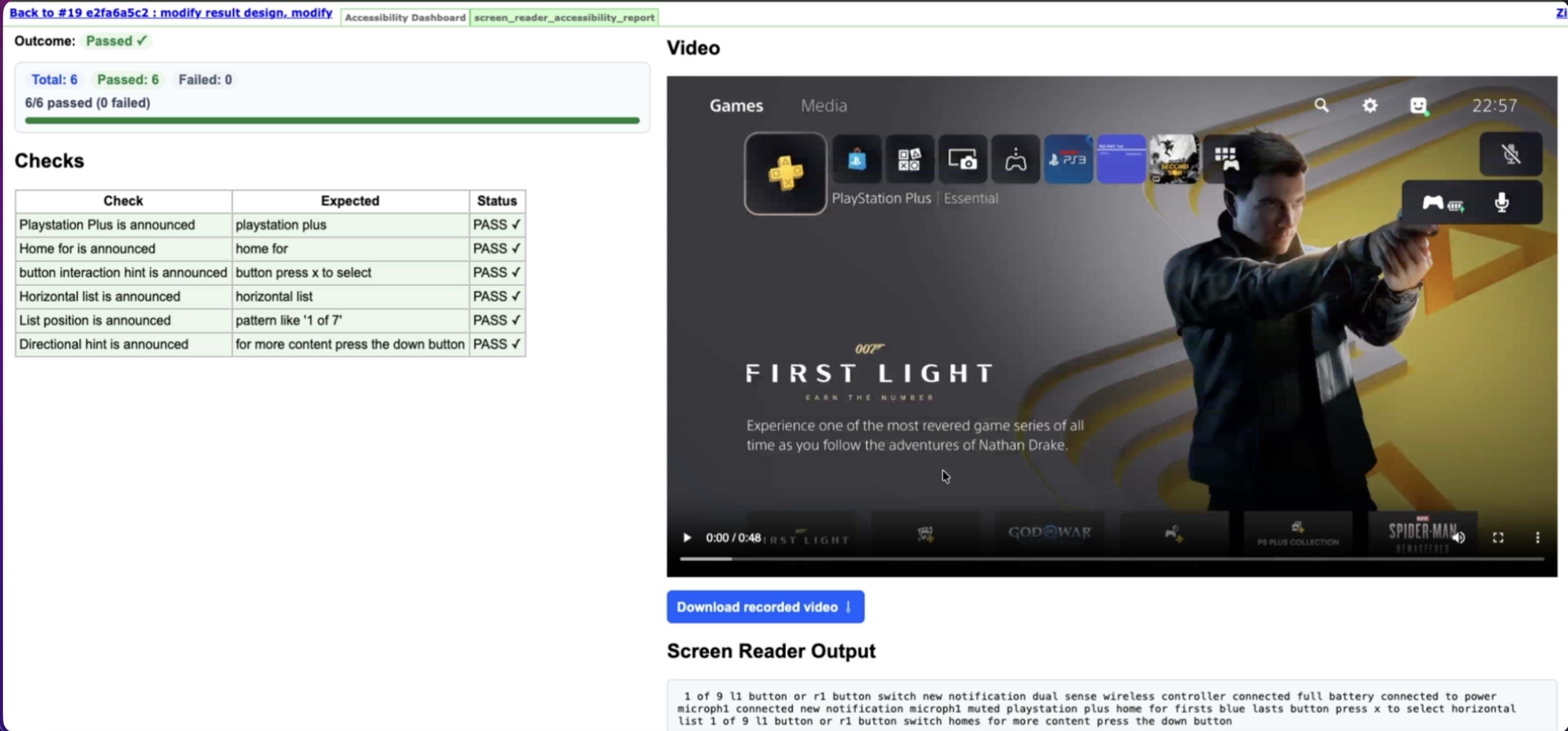
A per-test report connects expected announcements to pass/fail checks, recorded video, and the captured screen-reader transcript so engineers can reproduce a regression quickly.
03
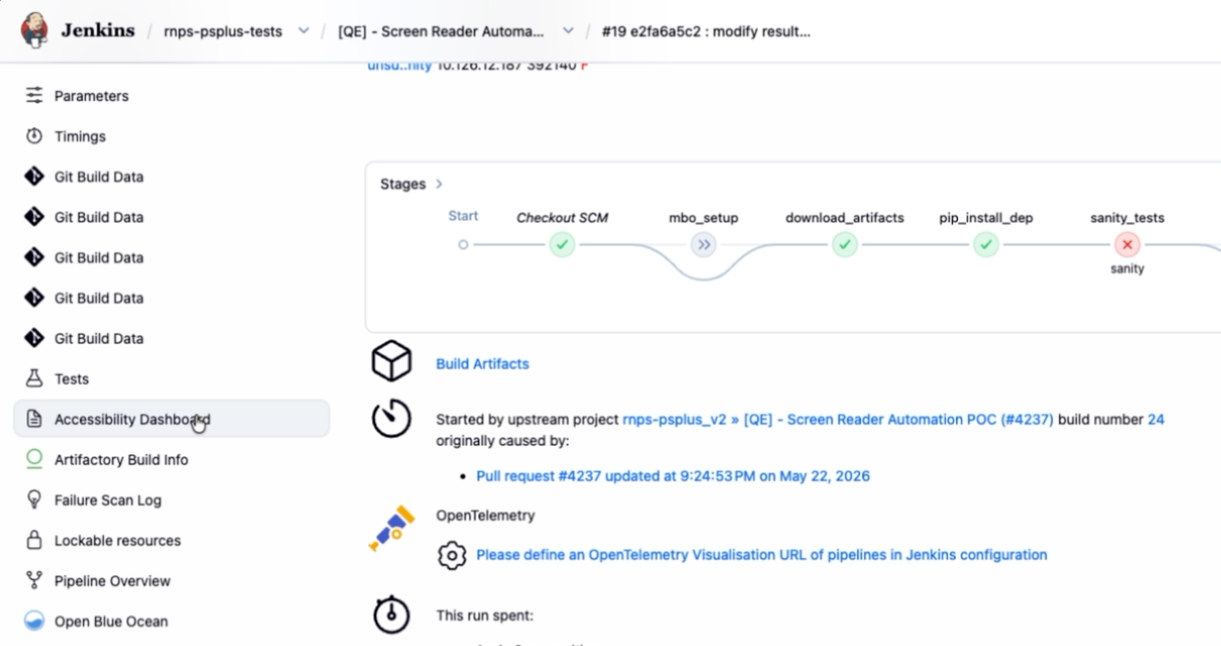
Publish results through CI
The generated dashboard is attached to the Jenkins build as an accessible artifact, keeping diagnostic output connected to the pull request and test run that produced it.
04
Verify the fix
The final report shows all six expected screen-reader announcements passing while retaining the video and transcript needed for human review.
Evidence
Video, transcript, and structured JSON remain linked to each result.
Diagnosis
Scannable pass/fail checks connect expected announcements to captured output so engineers can locate and triangulate issues faster.
CI visibility
Reports travel with the Jenkins build instead of living in raw logs.
Interview Q&A
What problem were you solving?
Accessibility testing often generates large amounts of information. I explored whether AI could organize that information and help reviewers identify areas that deserved closer attention.
Would you trust AI to replace accessibility testing?
No. Accessibility requires human judgment and real user understanding. AI is most effective as a productivity tool that helps engineers review information more efficiently.
Connect
Let's Build Something Great Together
I'm always happy to chat about frontend engineering, accessibility, React, or interesting opportunities.